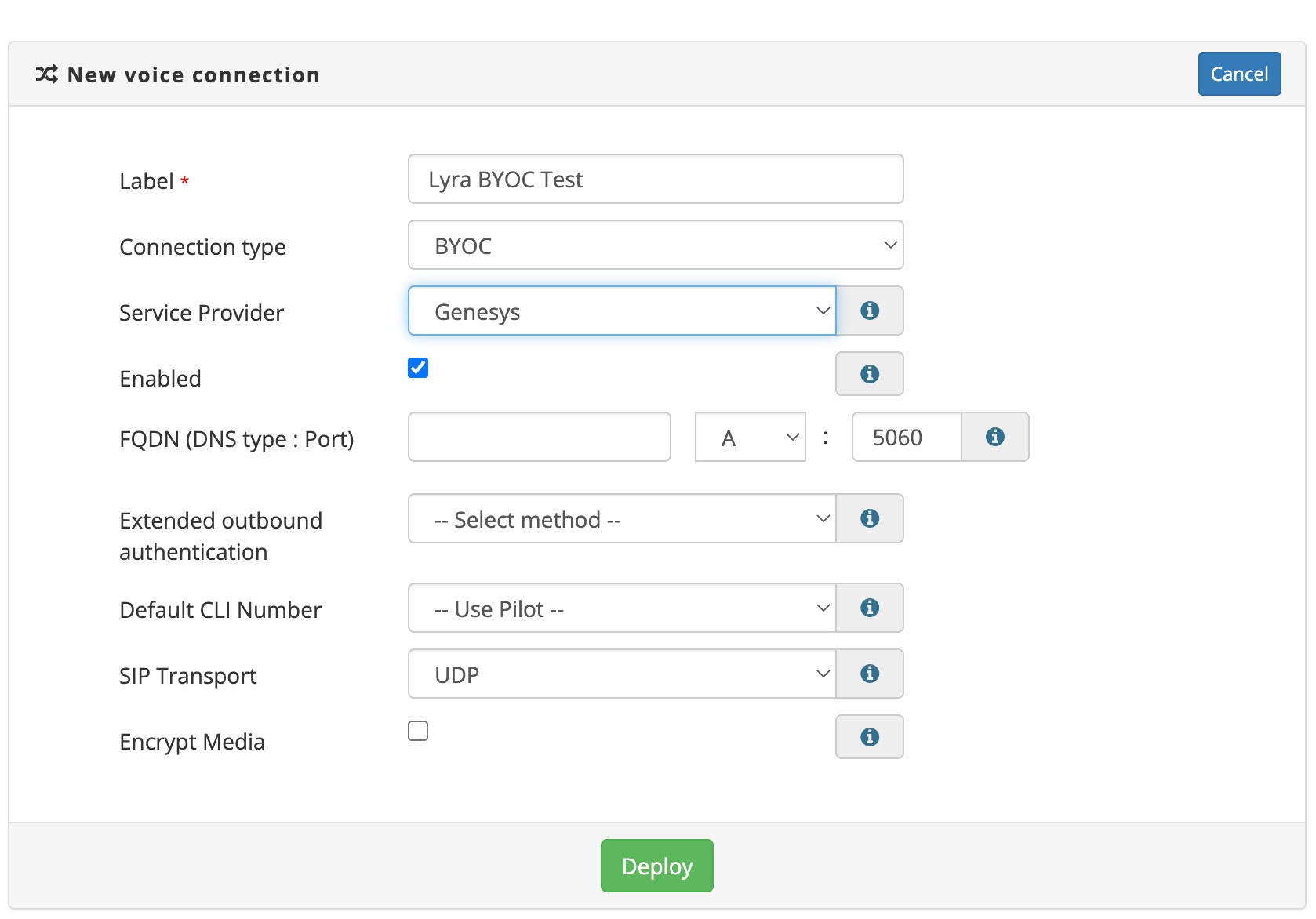
Voice Connection Portal Settings
Genesys BYOC Trunks can be configured in the Voice Connections module of the Cloud PBX.
To find the Voice Connections module log into your 2talk account and select the Cloud PBX tab from the top menu.
Voice Connections can be found in the left hand Cloud PBX menu. Click to open the Voice Connections management page.
Genesys Trunk Configuration
Label: Enter a name for the connection/trunk in the Label field (mandatory). The label field is an alphanumeric field, underscore, dash and full stop are also supported.
Connection Type: Select BYOC as the Connection Type
Service Provider: Select Genesys as the service provider
Enabled: Turns the BYOC connection on or off.
FQDN (DNS type : Port): Enter the FQDN, DNS Type and port number that you wish inbound calls to be delivered to.
Extended Outbound Authentication: Select a method to authenticate outbound calls in addition to only permitting calls from the configured source IPs. Auth Token - A token will be generated and this needs to be added to SIP invites in the X-Pure-AuthToken header.
Default CLI Number: Used when the presented CLI does not match any valid CLI on the account.
Transport: Specifies the transport protocol for SIP signalling. TLS provides encrypted signalling.
Encrypt Media: Forces the use of SRTP (Secure Real-time Transport Protocol) for encrypted media. This should be paired with TLS for fully encrypted signalling and media.
Encrypt Media: Forces the use of SRTP (Secure Real-time Transport Protocol) for encrypted media. This should be paired with TLS for fully encrypted signalling and media.